Tag: Cybersmart

Cybersmart – Kawa of Care

Today, in Room 9, we had a visit from Mr Hughes – a facilitator from Manaiakalani. We talked about all of the amazing things that computers can do, what they can help us do, and even, what some of the cool things we might like to learn to do on them are (like coding for example!)

After that, we learned about the Kawa of Care. When we start using our chromebooks we will need to sign the Kawa of Care; this is an agreement between us, our parents, and the school. We talked about the different responsibilities we need to agree to.

Based on these agreements we started to put together a poster! Each student was asked to write a prompt for Gemini; we learned how to write a prompt, that adding detail is important, and understanding how powerful it can be if we use it the right way!Using these prompts to create images we put them together to create the awesome poster you can see below

Once we created the photos Mr Hughes put them together in a poster for us. You can check it out below.

Thank you for visiting Room 9’s blog – follow along to see what other awesome things we learn this year!

Fake images

Today we had a lot of fun creating fake images. We took a photo of ourselves and used Remove.bg to remove its background. We then created our fake images by following the image challenge Mrs Tofa had set on our learning slides. Our images were created in Google Drawings and and imported into our slides.

Here are Kalisi’s slides with her images.

Quality blog comments: movies

Today for our Cybersmart lesson, we revised our lesson about quality blog comments but this time, we were commenting on movies. The annual Manaiakalani Film Festival is happening soon and it was a good opportunity for us to watch some movies from last year’s film festival and draft some comments.

The Manaiakalani Film Festival is an annual event this happens in Term 4. School in the Manaiakalani cluster submit movies to be played at the Sylvia Park Hoyts Cinemas. All schools go and watch the movies during the day and in the evening, there is a special night session for selected movies. It is a exciting time for all the students especially when they see themselves on the big screen. At school, the students will comment on the movies because they are posted on the class blogs.

Here are Skylar’s slides from today’s lesson with her comments on the three moveis we watched.

Creating quizzes in Google Form

Our class had a lot of fun today creating Google Form quizzes. Mrs Tofa gave us a short reading test last week in Google Form. We were able to see our score at the end of the test. Then we had to come up with an idea for our own quizzes which we created this week.

We all managed to create a quiz and sent it to our classmates to complete. The quizzes we created were about different topics. Some of our students did countries, food, sport and other topics of interest to them.

Creating our quizzes was fun. Mrs Tofa showed us step by step how to create them. We also have our learning slides to help us when we forget the steps.

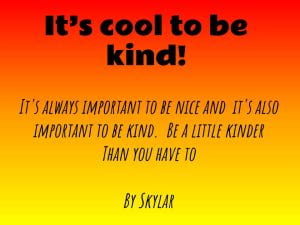
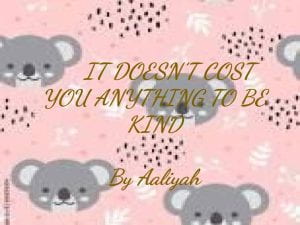
It’s cool to be kind

Today we were learning about being kind to others online. We created quotes to help encourage others to show kindness online. We brainstormed that there are many ways which we can use to communicate with others digitally. We talked about how important it is to be positive when we are communicating with others. It’s cool to be kind.

For our create activity, we had to create posters with messages or quotes to encourage others to be kind.

Here are quotes by Skylar and Aaliyah


Animation with Google Slides

Today for our Cybersmart lesson with Mrs Tofa, we made animations in Google Slides. First we had to create our first slide which is the start of our animation. The background is important because it sets the scene for our animation. Then we added elements of our animation which will move with every slide. To make the animation, we had to duplicate the first slide and move the moving elements of our animation every time we duplicate a slide.

It was fun creating our animations today. Here is Ana’s animation.

Matariki Stars

Today for our Cybersmart lesson with Mrs Tofa. We designed our Matariki Stars. We used Google Drawings to design our stars. We learnt to change the shape of images using the mask image tool. We also learnt how to arrange the images so they were not covering each other through the order tool.

Here is Benjamin’s star design

Creating quality blog comments

We have been learning about posting quality blog comments. We used a template which Mrs Tofa shared with us. We have discussed that a quality blog post has to be: Positive, Thoughtful and Helpful.

Here are Kalisi’s slides from today’s learning. She has written a good quality blog comment for Victory@Pt England School blog

Internet Permanance

Today our class was learning about what internet permanence is. We read about internet permanence then brainstormed some ideas on the board.

Here are the main points from our discussion:

  • be careful what you post online
  • once something is shared online, it can be viewed and shared
  • what we post can affect our future and reputation
  • we have to be responsible when we post of publish online
  • check if our parents, principal or teacher would approve of what we are posting

We also created posters with some slogans to promote being cybersmart when posting online. Here is Fahim’s poster

Hello world!

Welcome to your brand new blog at Edublogs!

To get started, simply visit your blog’s dashboard, edit or delete this post and check out all the other options available to you.

Like more help?

We can walk you through step-by-step in our guide to getting started with your blog.

Happy blogging!